Lurker
A delightful, always-on IRC bouncer and client with a retro aesthetic and modern conveniences.
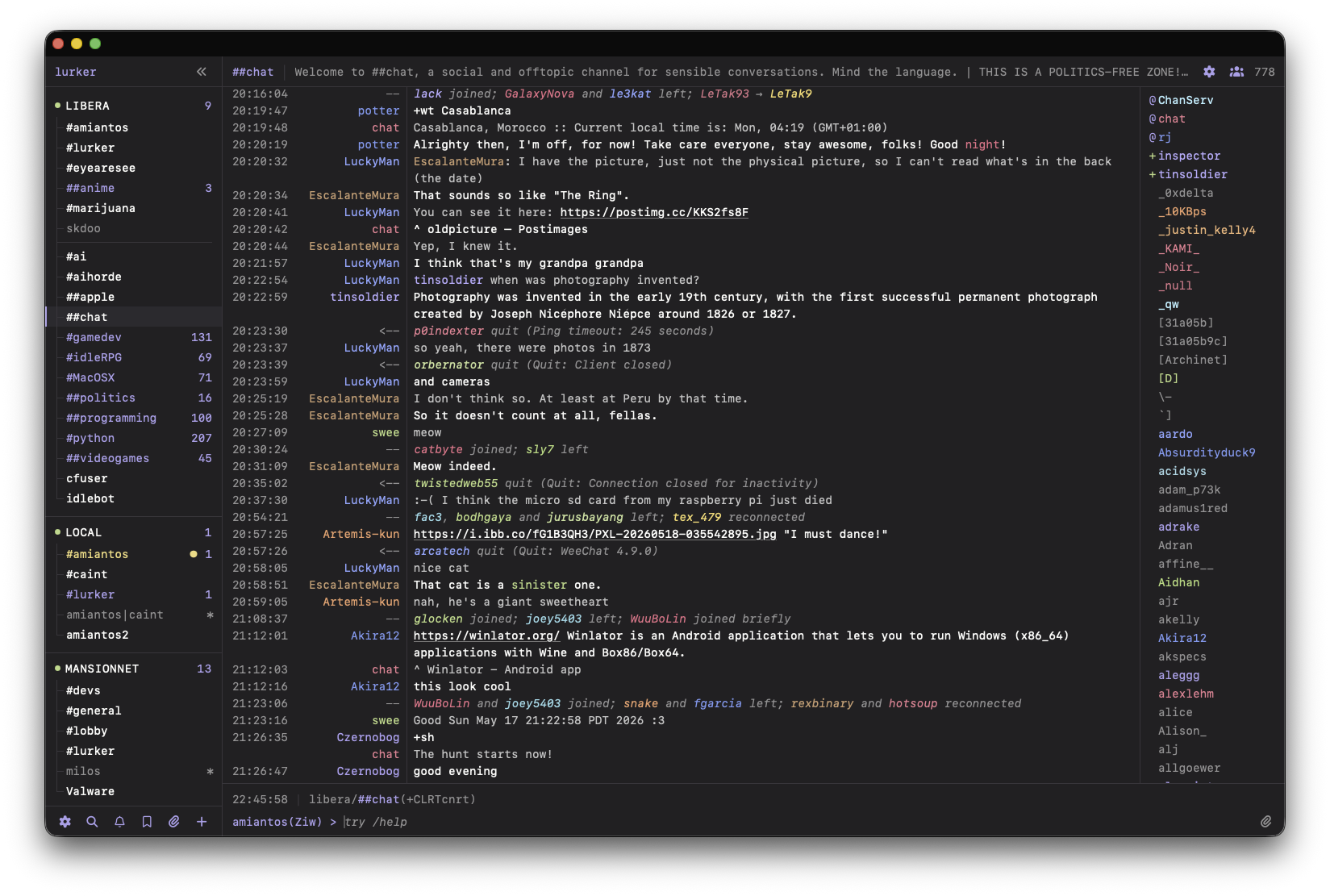
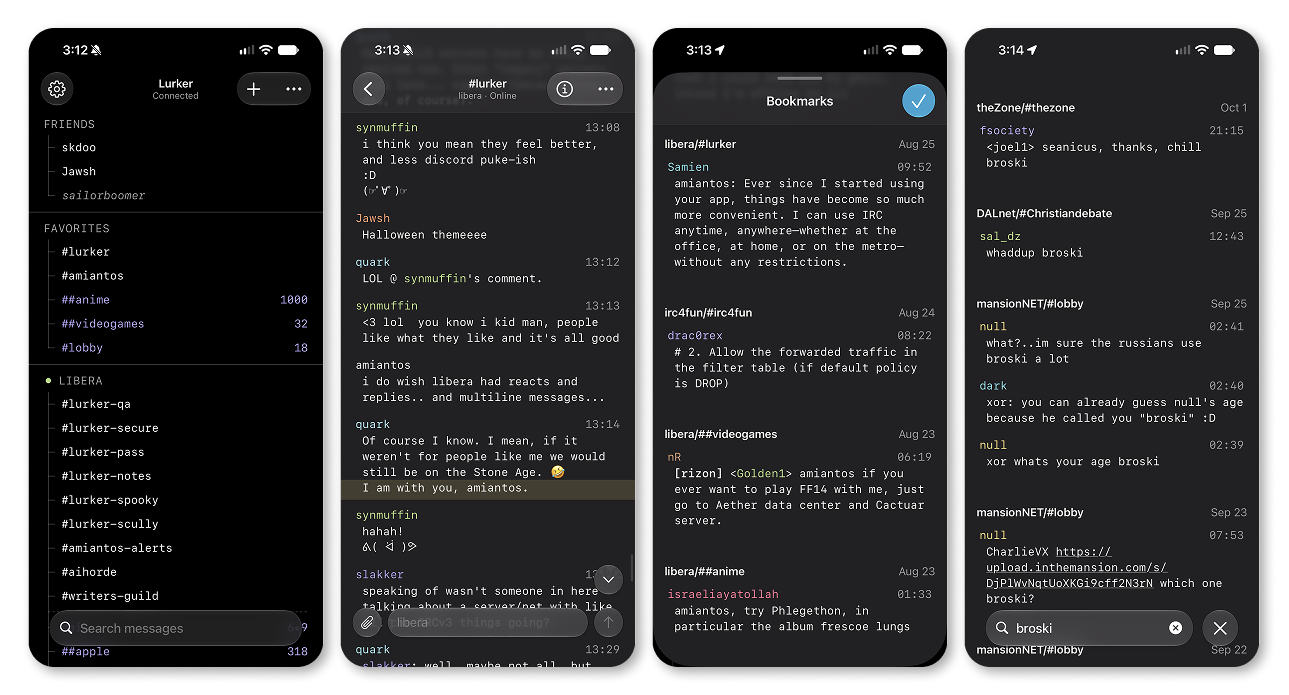
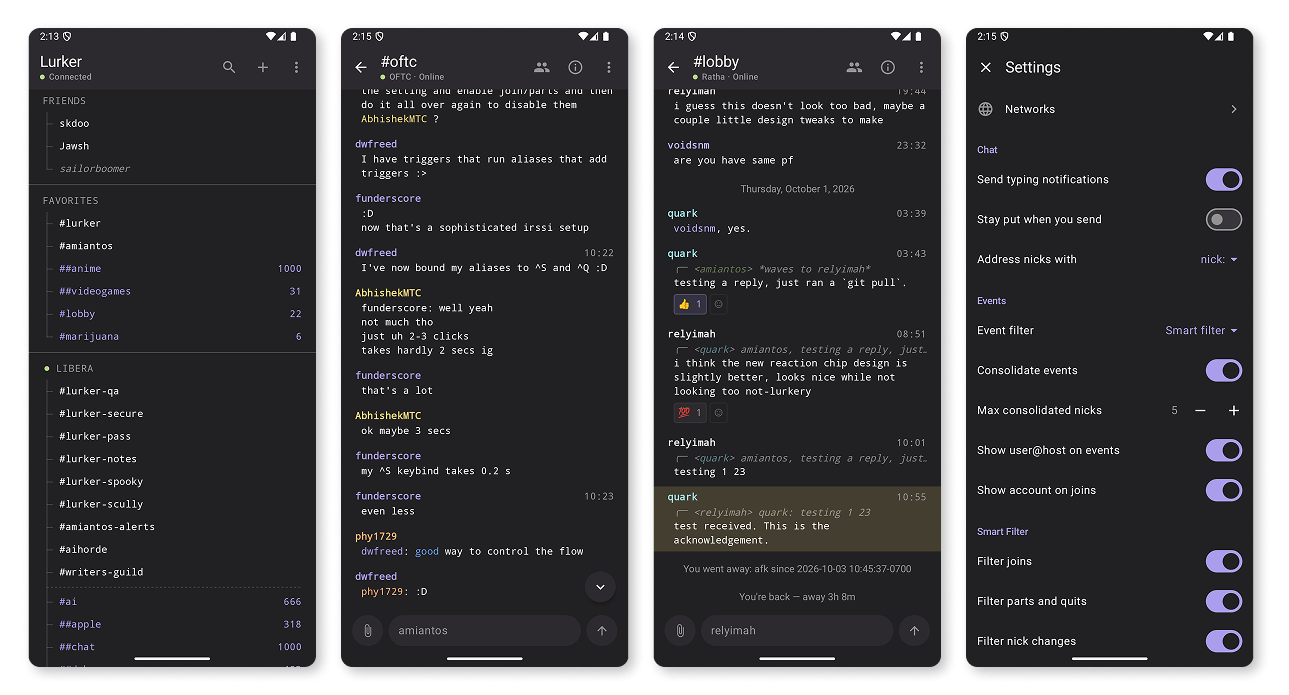
Features
- Always-on and multi-user. Each invited user connects to their own set of IRC networks, and Lurker stays connected when they're away. Admins can restrict which networks users can connect to, and make channel recommendations for newcomers.
- Modern conveniences. Peer presence, automatic nick regain, join/part summarization, smart nickname completion, cross-client message drafts, bookmarks, user notes, a powerful highlight & ignore system, reactions, replies, and more.
- Full search. Search your message history, filter by nick, channel, or network; and jump to any message instantly, no matter how old it is.
- Image uploads. Paste an image into the input box, and Lurker optimizes it, anonymizes it, and uploads it to local storage, S3, Zipline, Chibisafe, or external services like x0.at or catbox.moe.
- Customizable UI. The beautiful retro terminal-style PWA interface has 40+ settings to customize it how you want.
- Native apps. Lurker has official native apps for iOS and for Android. A self-hosted server can send native push notifications to both through push.lurker.chat, an optional paid relay. There are also third-party clients such as Spooky (Android), and luir (TUI), which bring their own flavor to Lurker.
- Built-in bouncer. Don't want to use the Lurker clients? Then don't. Lurker has a best-in-class IRC bouncer built in, complete with
soju.im/bouncer-networks,soju.im/FILEHOSTsupport and more, so you can use any IRC client you want, like clircs, Halloy, Goguma, HexDroid and many others. - Inline link & media previews. Links, images, and videos get proper preview images in every client. Implemented as a separate container, to isolate malicious links from your users' data. (Optional, requires
lurker-previewscontainer.) - Decoupled IRC connections. Say goodbye to disconnect/reconnect floods when updating Lurker — a secondary container keeps the connections alive while the main service restarts. (Optional, requires
lurker-enginecontainer.)
Get Lurker For Free
Docker is the officially supported way to run Lurker (you can run it without Docker, if you must). Get started by downloading the docker-compose.yml file and running the container.
curl -O https://raw.githubusercontent.com/amiantos/lurker/main/docker-compose.yml
docker compose up -d
open http://localhost:8015/Pay for Lurker
$5/month for a single user account on an officially managed Lurker instance.
Or, show your support by throwing some money at Lurker.
Self-hosting? push.lurker.chat is a $20/year relay that lets your own server send native push notifications to the iOS and Android apps. One subscription covers every user on it.